Humble Bundle is a real US-based digital games merchant best known for rotating bundles and the Humble Store for individual keys. Legitimacy here is about checkout path: store purchases, bundle checkouts and Humble Choice subscriptions follow different delivery, charity and refund rules that must be read on the exact product you are buying.
Direct answer
Yes: Humble Bundle is a legitimate PC game retailer operating humblebundle.com as a named merchant with published terms — not an anonymous key marketplace. Keys activate on Steam, Epic, GOG or other platforms named on each listing. Bundles add charity splits on eligible products and a separate library view from single-key store purchases.
Safe buying means confirming platform, region, edition, pre-order status and what Humble support says about refunds after you reveal or redeem a key. Source checked Jul 24, 2026.
What legit means for bundles and stores
Legitimacy on DealCheckpoint means Humble operates as a identifiable business with customer support, transparent charity framing on eligible bundles and keys intended for normal platform activation. That profile differs from grey-market sites where seller identity and key provenance change listing by listing.
Legitimacy does not promise that every bundle is good value, that every key is global, or that refunds remain available after key reveal. Those remain product-level questions answered on the live checkout page.
Who Humble Bundle is today
Humble began as a pay-what-you-want bundle platform and now runs the Humble Store, time-limited game bundles and Humble Choice — a monthly subscription with curated games and member store pricing when active promotions apply. Ziff Davis owns Humble; the brand continues to emphasize charity contributions on many bundles.
Humble is not a launcher. Purchased games activate through Steam, Epic, GOG or another platform icon shown on the product or bundle page. DealCheckpoint links to the Humble store hub when tracked pricing exists for a matched identity.
Three checkout paths — and why they matter
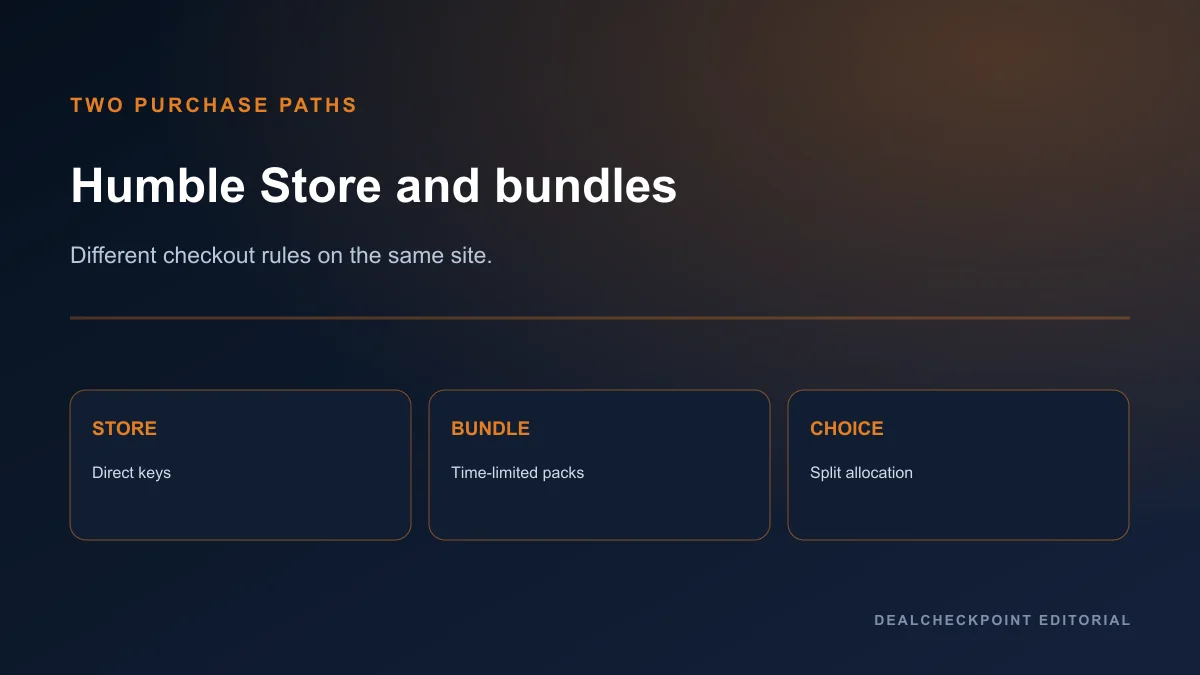
Most confusion comes from mixing checkout models:
- Humble Store — single-game keys comparable to other authorised retailers such as Fanatical or GMG.
- Bundles — multi-game packages with charity sliders and limited availability windows.
- Humble Choice — recurring subscription with monthly content and separate cancellation rules.
A bundle game may sit in your Humble library with a redeem button while a store purchase follows a similar but separate order history. Always open the exact URL you intend to pay on — store, bundle or subscription — before entering payment details.
Store model versus grey-market risk
| Checkout path | What you receive | Refund complexity | Typical buyer mistake |
|---|---|---|---|
| Humble Store | Single key or entitlement for one SKU | Moderate — read reveal rules | Assuming Steam refund policy applies |
| Bundle | Multiple keys with charity split | Higher — partial consumption | Buying for one game while owning the rest |
| Choice | Monthly entitlements + member discount | Subscription billing rules | Forgetting to cancel before renewal |
Humble sells as merchant of record on its own domain. That is the core reason it belongs in the authorised cluster described in where to buy PC games safely, separate from open seller marketplaces.
Key delivery and reveal behavior
After payment, Humble typically adds products to your account library with a key or download link. Revealing or viewing a key can affect refund eligibility under Humble’s digital content policy — read the live terms before clicking reveal to “test” refund windows.
Some products are Steam gifts or direct entitlements rather than raw keys you copy manually. The product page and order email describe which path applies for that SKU.
Region and activation warnings
Humble lists activation platform and region restrictions on each product. A Steam icon does not imply global activation. Confirm your account country matches the key territory and that any required base game or DLC dependency is owned on the same platform.
Do not use VPN region switching to bypass a restriction; it can violate store terms and leave you with an unusable product. Cross-check edition names against other stores using the habits in how to spot a real PC game deal.
Refund conditions
Humble publishes refund and cancellation rules for digital products, subscriptions and certain bundle types on its support site. Eligibility depends on product state — unrevealed keys, subscription billing date, and whether content was consumed or partially redeemed.
Humble’s policy is separate from Steam’s refund FAQ unless you purchased on Steam directly. Valve’s Steam refunds page states third-party CD keys are not refunded by Steam. For first-party Steam rules, read Steam refund policy explained.
Charity split transparency
Eligible bundles show a charity slider or split breakdown before purchase. The split is informational for most buyers, not a tax receipt unless Humble’s checkout explicitly says otherwise for your jurisdiction.
Charity contribution does not change activation platform, region locks or edition contents. A generous split does not make a region-locked key compatible with your account.
Pre-order and bundle window warnings
Store pre-orders may withhold keys until launch depending on publisher workflow. Bundle windows expire; missed deadlines cannot be reconstructed from blog posts or social screenshots.
Before impulse bundle purchases, list the games you genuinely want, subtract ones you already own, and divide the bundle price by the remainder. A high charity percentage does not fix duplicate ownership math.
DLC and edition traps
Bundle tiers sometimes include DLC, soundtracks or books separate from the base game activation path. Confirm each item’s platform icon individually within multi-game packages.
Store listings can mirror the same traps as other retailers: a deluxe label without the expansions you expect, or a season pass mistaken for the full game. Read dependency notices on every line item.
Payment, tax and subscription billing
Prices display in your selected currency; tax may apply at checkout depending on location. Humble Choice renews on a billing cycle unless cancelled through Humble’s subscription management pages — not by ignoring renewal emails.
Compare the final payable amount with Fanatical and Green Man Gaming for the same SKU when the activation path matches. Payment failures can delay key access until the transaction clears.
Wallet top-ups, PayPal disputes and chargebacks can complicate key access if payment later reverses. Keep the Humble order page open until every line item shows a redeem or download action you recognize.
Account security and phishing
Legitimate Humble emails link to humblebundle.com and match orders you actually placed. Phishing pages mimic bundle timers and deep discounts to harvest credentials. Bookmark the official domain, enable two-factor authentication when Humble offers it for your account, and never paste keys into third-party “activation helper” sites.
If a deal looks impossibly cheap and arrives only through a direct message with a shortened URL, treat it as unrelated to Humble’s store until you confirm the listing on the official site.
Main advantages
- Long-running brand with transparent charity framing on many bundles
- Humble Store keys activate on major PC platforms when region rules match
- Bundles can combine several wanted games at one checkout price
- Choice membership can reduce store prices when active promotions apply
- Official storefront distinct from grey-market bazaars and random seller listings
Main limitations
- Refund rules tighten after key reveal or content access
- Bundle windows expire; historical posts are not live catalogues
- Not every game appears on Humble; exclusives and partnerships vary
- Subscription value depends on monthly lineup fit, not brand loyalty
- Region and edition mistakes remain buyer errors with limited recovery
Who should use Humble
Humble fits buyers who want bundle charity transparency, already know the included games, and verified activation regions for every line item. It also fits store shoppers comparing Humble’s current key price when platform and edition match library plans.
Use the Humble store hub for tracked deal context when CheapShark includes the matched identity.
Who should buy elsewhere
Prefer Steam or GOG when native features outweigh bundle novelty or when you want the simplest refund path without Humble-specific reveal rules. Skip bundles when you only want one title and already own most of the package.
Single-key focus without bundle variables: Green Man Gaming, Fanatical or Gamesplanet.
Safe-buying checklist
- Confirm you are on humblebundle.com.
- Identify whether you are buying Store, Bundle or Choice.
- Read activation platform and region on each item.
- Check bundle contents for duplicates you already own.
- Read refund/reveal policy for this product type on Humble support.
- Compare final total with other authorised sellers.
- Save order email until keys activate.
- Redeem on the correct platform account only.
Alternatives
First-party comparison: Steam vs Epic vs GOG. Cluster overview: where to buy PC games safely. Sibling guides: Is Fanatical legit? and Is Gamesplanet legit?.
FAQ
Is Humble Bundle a grey-market site?
No. Humble sells as a named retailer with published terms and charity disclosures on eligible products. Grey-market marketplaces allow unrelated sellers to list keys with opaque sourcing.
Does Humble still support charity?
Many bundles still show a charity split at checkout. The exact organisations and percentages appear on the live bundle page — verify there rather than assuming a fixed split from an old promotion.
Where do Humble keys activate?
Most commonly Steam; some products use Epic, GOG or other launchers named on the listing. The icon and text on the product page are authoritative for that SKU.
Is Humble Choice required to buy store games?
No. The Humble Store sells individual keys without a subscription. Choice adds monthly games and member discounts when active.
Can I refund a bundle after revealing one key?
Refund eligibility depends on Humble’s current digital policy and how much of the bundle was accessed. Read support articles for the specific product type before assuming partial refunds.
Final verdict
Humble Bundle is a legitimate retailer and bundle platform for PC buyers who read delivery and refund rules per product type. Use Humble when bundle contents, charity framing and activation paths are clear and the final price fits your tracked comparison. Use first-party stores or simpler authorised retailers when you want fewer checkout variables.
Source checked Jul 24, 2026 on Humble support pages, the Humble Store and Steam refund documentation. Re-verify live terms before purchase.